Eesti keel
 English


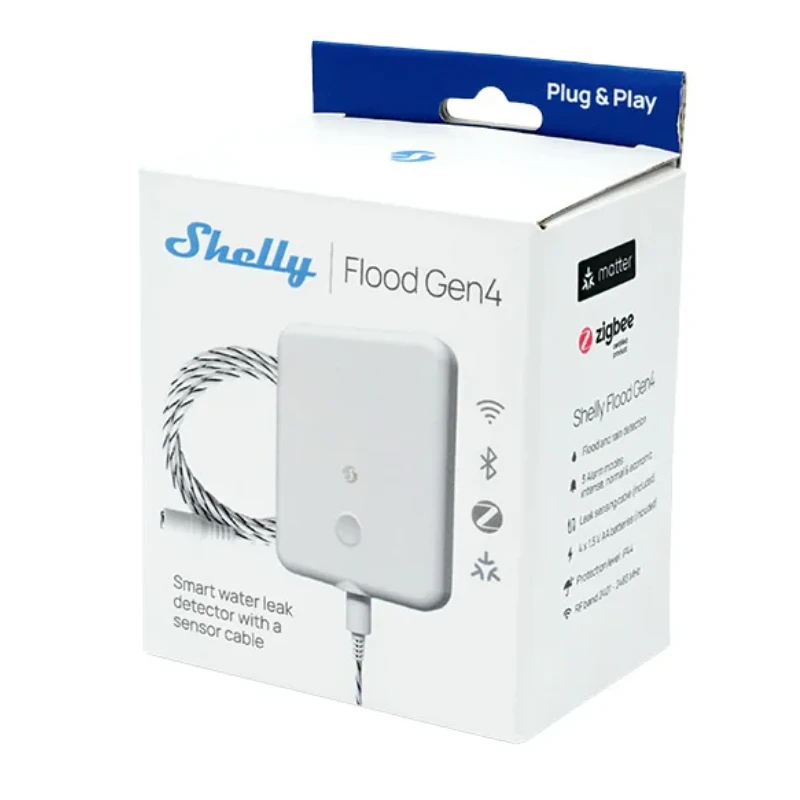
Multiprotocol connectivity: Choose from Bluetooth, Wi-Fi or Zigbee. Matter-certified: Integrates into any Matter ecosystem
Leak detection: 2m extendable leak sensor cable for coverage in small and large areas.
Supports two modes: Flood Detection and Rain Detection
Three built-in flood alarm modes: Intense, Normal, and Economic
Battery-powered: For flexibility and uninterrupted operation, included in the pack
Protection class IP44: Built tough with IP44 environmental resistance design
Smart automation: Supports local automation actions for independent operation
Control from anywhere: Use the Shelly Smart Control App or your favorite automation platform.
Works with all major systems: Apple HomeKit, Google Home, Home Assistant.
Inputs
LED Button: Press 1 time: Wakes up the device for 3 minutes. The LED turns on and initiates a state report.
Press 1 time: Reports status of the Flood component.
Press 2 times rapidly: Sends the device to sleep.
Press 3 times rapidly: Puts the device in Zigbee inclusion mode. It stays in this mode for 3 minutes and you can find it in the Home Automation platform through the Zigbee Hub.
Press 5 times rapidly: Switch the Device from Matter firmware (default) to Zigbee, or back.
Press and hold for 5 seconds: Network reset. The LED flashes slowly. If no action is taken within 3 minutes, the device retains its existing settings.
Press and hold for 10 seconds: Resets the device to factory settings.
Outputs
Buzzer: Long beep (3.5 sec ON / 1.5 sec OFF): Indicates flood detection.
Short beep (0.3 sec ON / 5 sec OFF): Indicates low battery when the battery level is below 20%. The low battery alarm will not sound during a flood event (unless the flood alarm is muted via the LED button) or when Economic mode is selected.
LED Button Indication:
Blue light: AP mode is enabled.
Red light: STA mode is active, but the device is not connected to a Wi-Fi network.
Yellow light: STA mode is active, and the device is connected to a Wi-Fi network but not connected to the Shelly Cloud, or the Shelly Cloud is disabled.
Green light: STA mode is active, and the device is connected to both a Wi-Fi network and the Shelly Cloud.
Flashing Purple light: device is in Zigbee commissioning mode.
Flashing Red/Blue light: OTA update is in progress.
Flashing Yellow light: Device is in identification mode, signaling its presence for user identification.
Alarm Modes
Flood Detection Mode - detects a state change and, if water is present, triggers an immediate alarm to alert you of potential flooding.
Rain Detection Mode - detects a state change when water is present but does not trigger an alarm, ideal for non-critical scenarios like rain detection.
Volume discounts
| Quantity | Discount |
|---|---|
| 3 | 20% |
| Code | Description | Price | Price+VAT | Unit | ||
|---|---|---|---|---|---|---|
|
3800238071714 |
Shelly Flood Gen4 lekke ja vihma andur IP44 Matter Zigbee BT WiFi |
€40.00
€34.00 |
-15%
€42.16 |
tk |